





The Edgee CLI is the fastest way to use Edgee with your AI coding assistant. It handles account creation, authentication, and tool configuration automatically, no manual API key setup or environment variables needed.
1

Install the CLI

curl -fsSL https://edgee.ai/install.sh | bash
2

Launch your coding assistant

edgee launch claude
That’s it. Claude Code is now running with Edgee compression and full observability enabled.For Codex users:
edgee launch codex
For OpenCode users:
edgee launch opencode
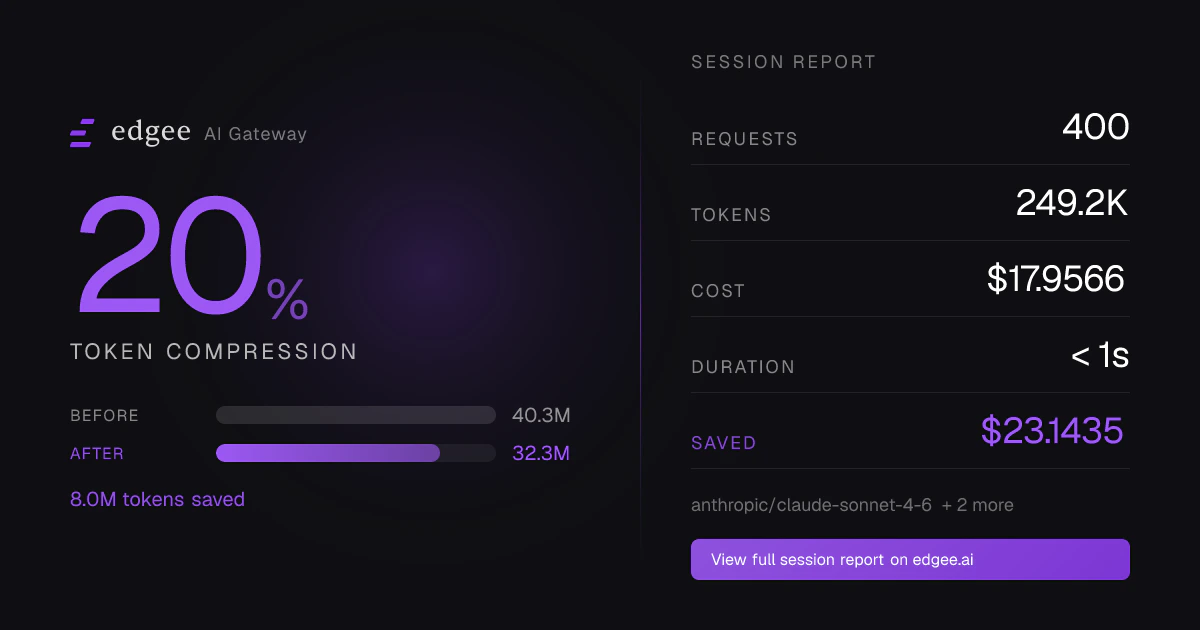
After your session ends, the CLI prints a link to view your session analytics, token usage, compression savings, and cost breakdown, directly in the Edgee Console. Edgee Coding Agent Session
The CLI requires Claude Code or Codex to be installed on your machine.

What’s Next

CLI Reference

Full documentation of all CLI commands, flags, and configuration options.
https://mintcdn.com/edgee-retry-fallback-docs/4R474HGHjKZJ_IH9/images/icons/claude.svg?fit=max&auto=format&n=4R474HGHjKZJ_IH9&q=85&s=6ad31139f0a1817293e460f0f03621b0

Claude Token Compression

Learn how lossless compression extends your Claude Code sessions by up to 3x.
https://mintcdn.com/edgee-retry-fallback-docs/4R474HGHjKZJ_IH9/images/icons/codex.svg?fit=max&auto=format&n=4R474HGHjKZJ_IH9&q=85&s=3a02736cebb1d7217bbba2254a32b412

Codex Token Compression

Discover how Edgee compression maximizes the length and efficiency of your Codex sessions.

Observability

Track token usage, costs, and latency across all your sessions.

Alerts & Budgets

Set up spending alerts to stay in control of your AI costs.